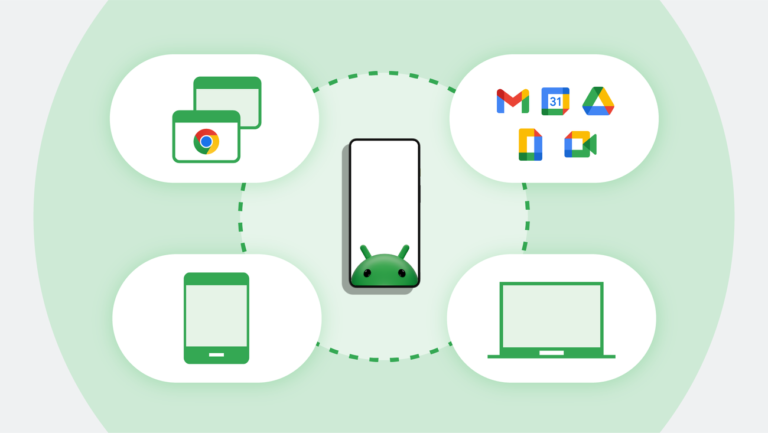
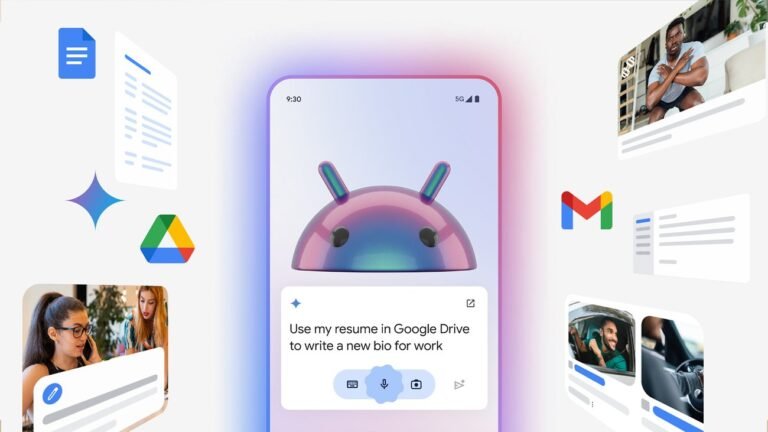
The Android ecosystem continues to evolve, making it easier than ever for users to stay connected across multiple devices. With Google latest updates, Android phones, tablets, and wearables are becoming more integrated, offering a seamless experience for communication, productivity, entertainment, and device management. These improvements are designed to help users switch between devices effortlessly while keeping their data, notifications, and activities synchronized in real time.
Recent Android ecosystem updates introduce enhanced cross-device connectivity, smarter AI-powered features, improved file sharing capabilities, and stronger security protections. Whether you are using an Android smartphone for work, a tablet for multitasking, or a smartwatch for fitness tracking, these new integrations create a more unified digital experience. As Google continues to expand its ecosystem, users can expect greater convenience, efficiency, and connectivity across all their Android devices.
Introduction to the Latest Android Ecosystem Updates
What began as a mobile operating system is now a comprehensive platform connecting phones, tablets, smartwatches, earbuds, smart displays, vehicles, and other connected devices into a unified digital experience. Over the last few years, Google has invested heavily in creating stronger connections between Android-powered devices, making it easier for users to move between screens, continue tasks, share content, and stay productive without interruption.
Rather than treating each device as a separate product, Android now focuses on creating a seamless environment where phones, tablets, and wearables work together intelligently. This approach mirrors the growing demand for connected experiences as consumers increasingly own multiple devices and expect them to function as part of a larger ecosystem.
Modern users no longer rely on a single screen throughout the day. A person might start reading an email on a smartphone during a commute, continue reviewing documents on a tablet at work, and receive notifications through a smartwatch while exercising. The newest Android integrations are designed to support these real-world usage patterns by reducing friction and improving continuity.
Recent Android updates have introduced improvements..
- Cross-device synchronization
- Notification continuity
- Multi-device productivity
- Enhanced Wear OS connectivity
- Smarter AI-powered experiences
- Faster device switching
- Improved file sharing
- Better privacy management
- Unified account experiences
These enhancements are shaping Android into a more connected and intelligent platform that can compete with other integrated technology ecosystems while maintaining the flexibility and device variety that Android users appreciate.
As Android continues to expand across multiple device categories, users benefit from a more cohesive experience that prioritizes convenience, efficiency, and personalization.
How Android Is Creating a More Connected Device Experience
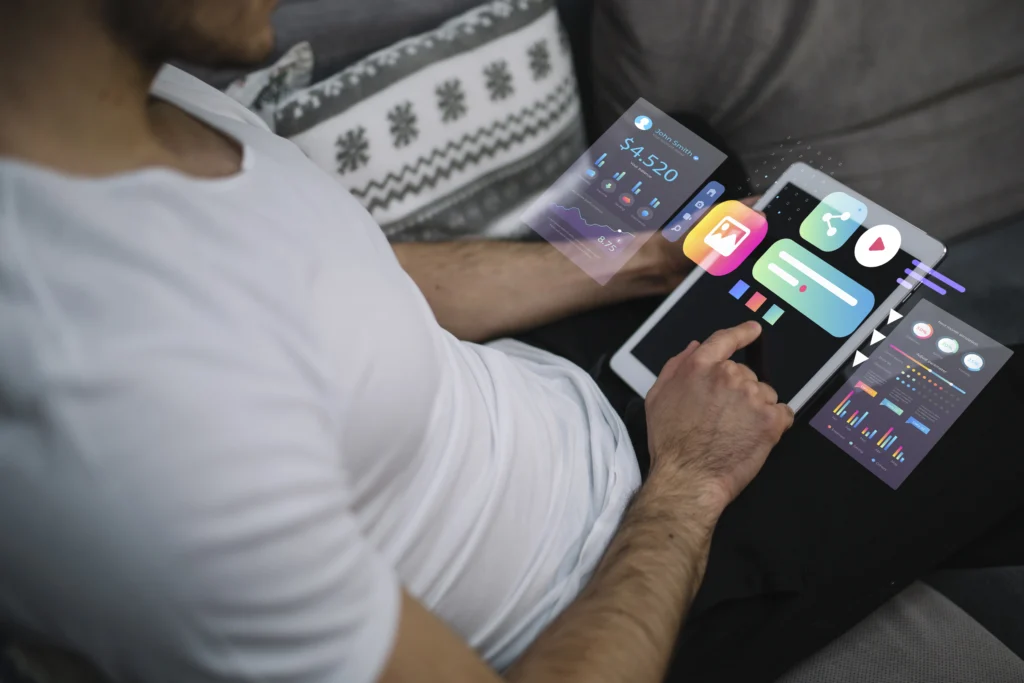
One of the most important goals behind Android latest development strategy is creating an ecosystem where devices work together naturally. Instead of forcing users to manually transfer information between products, Android now focuses on enabling devices to communicate automatically through shared services and synchronized experiences.
The Shift from Individual Devices to Connected Experiences
Historically, smartphones, tablets, and wearables functioned largely as independent products. Although they could connect through applications and cloud services, many tasks still required manual effort. Users often needed to move files, reinstall applications, or configure settings separately on each device.
Android ecosystem takes a different approach.
A connected ecosystem means..
- Devices recognize one another automatically.
- Settings synchronize across devices.
- Notifications remain consistent.
- Applications continue where users left off.
- Shared content becomes instantly accessible.
This transformation creates a smoother user journey throughout the day.
for example, if someone begins researching a topic on an Android phone, they can continue reading on a tablet without searching for the same content again. Smartwatches can display relevant information from the phone while maintaining synchronization across applications and services.
Unified Google Services as the Foundation
Google’s ecosystem strategy relies heavily on cloud synchronization through a Google account. When users sign into multiple Android devices using the same account, important information can automatically remain synchronized.
These synchronized elements often..
- Contacts
- Calendar events
- Photos
- Notes
- Browser history
- Passwords
- Preferences
- Application data
This unified approach reduces setup time and makes transitioning between devices significantly easier.
Context-Aware Device Interactions
Modern Android devices increasingly understand context. Phones, tablets, and wearables can share information about user activity and provide relevant actions based on current tasks.
Examples
- Smart notification forwarding
- Automatic audio switching
- Cross-device messaging
- Shared clipboard functionality
- Device proximity awareness
These features create a more intelligent ecosystem that responds to user behavior rather than requiring constant manual input.
The result is a connected experience that feels less like managing separate devices and more like interacting with a single digital environment spread across multiple screens.
New Phone-to-Tablet Integration Features
Phone and tablet integration has become one of the most exciting areas of Android development. As tablets continue growing in popularity for productivity, education, and entertainment, Google has focused on creating smoother transitions between mobile and larger-screen experiences.
App Continuity Between Devices
One of the biggest improvements involves application continuity.
Users increasingly expect tasks started on one device to continue on another. Android’s ecosystem updates support this expectation by improving synchronization between phones and tablets.
benefits..
- Consistent application states
- Faster workflow continuation
- Reduced interruptions
- Better multitasking experiences
Whether reading documents, reviewing notes, or browsing the web, users can transition more smoothly between devices.
Shared Clipboard Functionality
One of the most practical additions to the Android ecosystem updates is Shared Clipboard Functionality, a feature designed to make moving information between devices faster and more convenient.
As people increasingly use multiple Android devices throughout the day, constantly copying text, links, notes, or addresses from one device to another can interrupt productivity. Shared clipboard support helps eliminate this friction allowing copied content to be accessed across connected Android devices signed in to the same account.
Shared clipboard integration allows users..
- Copy text from a smartphone
- Paste it directly onto a tablet
- Transfer links instantly
- Move important information between devices
This capability is particularly useful for professionals, students, and remote workers who frequently switch between devices during the day.
Enhanced Messaging Experiences
Messaging has become a central component of modern communication. Android now provides stronger continuity between phones and tablets, allowing conversations to remain synchronized across screens.
Advantages
- Accessing messages from multiple devices
- Better notification management
- Larger-screen communication options
- Improved productivity during conversations
This reduces dependence on a single device and enables greater flexibility.
Better Multi-Window Experiences
As Android tablets continue to evolve into powerful productivity devices, multi-window functionality has become an essential part of the user experience. The latest Android ecosystem updates introduce improvements that make it easier to work with multiple applications simultaneously, helping users stay organized and efficient throughout the day.
These enhancements are particularly valuable for professionals, students, and multitaskers who frequently switch between tasks and need quick access to different sources of information.
Users can
- Open multiple applications simultaneously
- Reference information across windows
- Drag and drop content
- Improve productivity on larger displays
These capabilities help tablets function as effective companions to smartphones rather than merely serving as larger versions of the same device.
Enhanced Cross-Device Syncing Across Android Devices
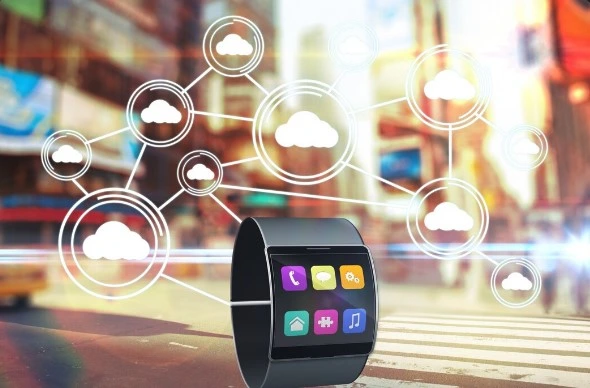
Cross-device synchronization is becoming one of the defining characteristics of modern Android experiences. The latest updates focus on ensuring information remains consistent regardless of which device users choose at any given moment. As the number of connected devices in people daily lives continues to grow, seamless synchronization has become a fundamental part of a modern digital experience.
Android latest ecosystem updates place a strong emphasis on enhanced cross-device syncing, allowing phones, tablets, smartwatches, and other compatible devices to work together more efficiently than ever before. Rather than treating each device as an isolated platform, Android is moving toward a unified ecosystem updates where information, settings, and activities remain consistent across multiple screens.
Why Synchronization Matters
People regularly interact with multiple devices throughout their day. Without proper synchronization, information becomes fragmented and productivity suffers.
Effective syncing ensures
- Information remains current
- Changes update automatically
- Content is available everywhere
- Workflows remain uninterrupted
This creates a more reliable and user-friendly environment.
Real-Time Data Synchronization
Recent Android improvements emphasize near real-time synchronization. When users modify information on one device, updates can quickly appear across connected devices. This applies to many types of content, including notes, documents, reminders, and personal settings.
The benefits are significant
- Reduced duplication of work
- Improved collaboration
- Greater convenience
- Consistent user experiences
Smarter Notification Management
Managing notifications across multiple devices has traditionally been challenging. Android’s latest ecosystem updates improve notification intelligence by reducing duplication and improving awareness across connected devices.
For example
- Notifications dismissed on one device can disappear on others.
- Relevant alerts can appear on the most appropriate device.
- Wearables can provide quick interactions without requiring phone access.
This creates a cleaner and less distracting experience.
Seamless Media Synchronization
Media consumption has become a central part of how people interact with their devices, whether they are listening to music, watching videos, enjoying podcasts, or accessing educational content. To support these everyday activities, Android latest ecosystem updates introduce seamless media synchronization, making it easier to continue entertainment and media experiences across multiple connected devices.
Android’s ecosystem updates improvements support..
- Shared playback experiences
- Better audio transitions
- Multi-device entertainment workflows
- Consistent content access
Whether users are listening to music, watching videos, or consuming educational content, synchronization helps maintain continuity across devices.
Cloud-Based Intelligence
Cloud infrastructure serves as the backbone of Android synchronization. securely maintaining data consistency through cloud services, Android devices can remain connected regardless of physical location. This approach allows users to access information from phones, tablets, and wearables while maintaining a familiar and personalized experience.
The growing sophistication of cloud synchronization demonstrates how Android is evolving into a platform centered around experiences rather than individual hardware products.
Wear OS Updates and Improved Smartwatch Connectivity

Smartwatches have become an essential part of the Android ecosystem. What was once considered a companion device for checking notifications has evolved into a powerful extension of the smartphone experience. The latest Wear OS updates focus on deeper integration, faster communication between devices, and smarter interactions that make wearable technology more practical for everyday use.
As Android continues to expand its ecosystem updates strategy, Wear OS plays a crucial role in ensuring users can stay connected even when their smartphone is not immediately accessible. Recent updates have significantly improved synchronization between smartwatches, phones, tablets, and connected services.
Faster Device Communication
One of the most noticeable improvements is the speed at which Wear OS devices communicate with Android smartphones.
Modern connectivity enhancements enable
- Faster notification delivery
- Improved call synchronization
- Better message continuity
- More reliable device pairing
- Enhanced background syncing
These improvements reduce delays and create a smoother experience throughout the day.
Users can quickly view important information from their wrist without needing to constantly reach for their phone, making interactions more efficient and less disruptive.
Smarter Notification Experiences
Notification management remains one of the most valuable smartwatch features. Android ecosystem updates have improved how notifications are delivered across devices.
New enhancements help ensure
- Notifications remain synchronized.
- Duplicate alerts are reduced.
- Important updates are prioritized.
- User interactions remain consistent.
for example, when a notification is acknowledged on a smartwatch, Android can better coordinate that action across other connected devices. This creates a cleaner and more organized digital experience.
Expanded Health and Wellness Integration
Google is expanding health and wellness features across the Android ecosystem, creating a more connected experience between smartphones, tablets, and wearable devices. With improved integration, users can track fitness activities, monitor health metrics, receive wellness insights, and manage health data more efficiently from a single ecosystem.
Modern Android integrations allow smartwatches to work more closely with phones and tablets when tracking..
- Daily activity
- Step counts
- Sleep patterns
- Heart rate information
- Exercise sessions
- Wellness goals
The ability to view detailed insights on larger tablet or phone screens enhances the value of wearable-collected data. Users benefit from easier access to trends, summaries, and progress tracking while maintaining synchronization across devices.
Improved Smart Home Connectivity
Android ecosystem updates are also enhancing smart home connectivity, making it easier for users to control and manage connected devices from their phones, tablets, and wearables. With deeper integration between Android and smart home platforms, users can access lighting controls, security cameras, thermostats, and other smart devices from a unified interface.
Users can manage connected devices directly from their wrist..
- Lighting controls
- Temperature settings
- Smart displays
- Connected appliances
- Home automation routines
These integrations demonstrate how Android’s ecosystem updates extends beyond personal devices into broader connected environments.
Longer Battery Efficiency Through Software Optimization
Recent Wear OS improvements focus heavily on efficiency. optimizing background processes and improving communication between devices, Google has helped reduce unnecessary power consumption.
Benefits include.
- Better battery longevity
- More consistent performance
- Reduced background resource usage
- Improved daily reliability
As wearable technology becomes more advanced, these optimizations help ensure devices remain practical for continuous use.
New Productivity Features Across Phones, Tablets, and Wearables
Productivity has become one of the strongest drivers behind Android ecosystem updates development. Today’s users often switch between multiple devices while working, studying, managing projects, or communicating with colleagues and clients.
Android’s latest productivity enhancements aim to eliminate barriers between devices and create workflows that feel natural and efficient.
Multi-Screen Workflows
One of the biggest trends in modern computing is multi-screen productivity.
Android now supports smoother workflows that allow users
- Start tasks on one device
- Continue them on another
- Access synchronized information
- Manage work across multiple screens
This flexibility is particularly valuable for professionals who use smartphones, tablets, and wearables throughout the day. larger tablet screen can be used for reviewing documents, while a smartphone handles communication and a smartwatch provides timely updates.
Together, these devices form a connected productivity environment.
Better Note-Taking and Organization
The latest Android ecosystem updates are transforming how users capture, organize, and access information across multiple devices. fast-paced digital environment, people frequently switch between smartphones, tablets, and wearables while managing work tasks, educational projects, personal schedules, and daily responsibilities. Android enhanced note-taking and organization capabilities are designed to ensure that important information remains accessible wherever users need it.
Android ecosystem improvements support stronger synchronization between..
- Notes
- Reminders
- Calendars
- Task lists
- Productivity applications
Users can create information on one device and access it instantly from another. This level of continuity reduces interruptions and helps maintain focus during important tasks.
Enhanced Tablet Productivity Features
Android tablets have received significant productivity-focused improvements, making them more capable for both professional and personal use. Recent ecosystem updates have introduced better multitasking, improved large-screen app optimization, enhanced keyboard support, and smoother integration with smartphones and wearables.
These enhancements help users perform everyday tasks more efficiently while taking advantage of the larger display offered by modern tablets.
Recent updates introduce features that make tablets more capable for professional and educational use.
Examples…
- Improved multitasking
- Resizable windows
- Better keyboard support
- Advanced stylus functionality
- More desktop-like experiences
These capabilities transform tablets into productive workstations rather than simple media consumption devices.
Wearables as Productivity Assistants
Modern smartwatches have evolved far beyond simple notification devices and are now becoming valuable productivity companions within the Android ecosystem. Thanks to deeper integration between phones, tablets, and Wear OS devices, users can stay informed, organized, and connected without constantly reaching for their smartphone.
They can provide
- Meeting reminders
- Calendar updates
- Quick message responses
- Navigation assistance
- Time management support
reducing the need to constantly check a smartphone, wearables help users stay focused while remaining informed.
Improved Collaboration Experiences
Collaboration is another area benefiting from ecosystem updates integration. Shared documents, synchronized notes, cloud storage, and communication services enable teams to work efficiently regardless of device type.
Whether participating in remote meetings or reviewing shared content, Android users can move between devices while maintaining access to essential information.
Google’s AI-Powered Enhancements for the Android Ecosystem
Artificial intelligence has become one of the most important technologies shaping Android’s future. Google’s latest ecosystem updates leverage AI to improve personalization, productivity, accessibility, and device coordination.
Rather than existing as a separate feature, AI is increasingly integrated throughout the Android experience.
Smarter Context Awareness
One of AI’s greatest strengths is understanding context. Modern Android devices can analyze usage patterns and provide more relevant suggestions based on user behavior.
Examples
- Predictive actions
- Intelligent recommendations
- Personalized shortcuts
- Contextual reminders
- Adaptive experiences
These capabilities help users complete tasks more efficiently.
Enhanced Voice Interactions
Voice interaction technology continues to improve across Android devices. Android’s latest ecosystem updates have improved voice interactions across phones, tablets, and wearables, making hands-free communication more convenient and responsive.
Users can perform everyday tasks, manage schedules, send messages, and access information using simple voice commands across connected devices.
AI-powered voice systems enable users..
- Control connected devices
- Retrieve information
- Manage schedules
- Send messages
- Perform everyday tasks
The growing accuracy and responsiveness of these systems make hands-free interaction increasingly practical.
Personalized User Experiences
The Android ecosystem updates is becoming more personalized by adapting to individual user preferences and usage habits. Connected devices can provide customized recommendations, relevant shortcuts, and tailored settings that create a more convenient and consistent experience across phones, tablets, and wearables.
AI helps create personalized experiences by adapting..
- Frequently used applications
- Preferred settings
- Communication patterns
- Daily routines
- Content interests
This customization improves convenience while reducing the need for manual adjustments.
Better Accessibility Features
Recent Android ecosystem updates include enhanced accessibility features that make devices easier to use for a wider range of users. Improvements in voice recognition, live captions, screen reading, and visual assistance help create a more inclusive experience across phones, tablets, and wearables.
AI-powered improvements support users through..
- Enhanced speech recognition
- Real-time transcription
- Improved visual assistance
- Smarter language processing
- Better interaction options
Intelligent Resource Management
AI also helps optimize device performance. analyzing usage behavior, Android can allocate resources more effectively.
benefits…
- Improved battery efficiency
- Better application performance
- Reduced background activity
- Smoother user experiences
These optimizations occur automatically and contribute to a more responsive ecosystem.
Improved File Sharing and Device Switching Capabilities
Sharing information between devices has historically been one of the biggest challenges in multi-device environments. Android’s latest ecosystem updates address this challenge through faster sharing technologies and smoother device transitions.
The goal is simple: enable users to move content and continue activities without interruption.
Faster Nearby Sharing Experiences
Android ecosystem updates have made nearby sharing faster and more reliable across phones, tablets, & other connected devices. Users can quickly transfer photos, documents, links, and other files with minimal steps, improving everyday convenience.
Users can now transfer…
- Documents
- Photos
- Videos
- Links
- Presentations
- Other digital content
With greater speed and convenience. Improved connectivity protocols help reduce waiting times while maintaining a simple sharing process.
Cross-Device Content Access
Content accessibility is becoming increasingly important. Android ecosystem improvements allow users to access important files from multiple connected devices.
Advantages…
- Greater flexibility
- Improved productivity
- Reduced duplication
- Better organization
Whether working from a phone, tablet, or wearable-connected experience, users can remain connected to their information.
Seamless Audio Device Switching
Android updated ecosystem improves how audio moves between connected devices like phones, tablets, smartwatches, and wireless earbuds. Users can switch playback smoothly without manually reconnecting devices each time.
Modern Android updates improve transitions between
- Smartphones
- Tablets
- Smartwatches
- Wireless earbuds
- Other connected devices
This allows users to continue listening without manually reconnecting devices repeatedly. The result is a more natural entertainment and communication experience.
Easier Device Setup and Migration
Android continues simplifying the process of moving to new devices.
Modern setup experiences can automatically transfer..
- Account information
- Preferences
- Contacts
- Photos
- Application settings
This reduces complexity and allows users to begin using new devices more quickly.
Reduced Friction Across the Ecosystem
The ultimate objective of improved sharing and switching capabilities is reducing friction. Users should not need to think about which device contains a specific file or where an activity was started.
Instead, Android is moving toward an ecosystem updates where content and experiences remain accessible wherever users choose to continue their work.
Security and Privacy Improvements Across Connected Devices

As the Android ecosystem updates becomes more connected across phones, tablets, and wearables, safeguarding user information and maintaining transparent privacy controls has become a central priority. The latest Android updates introduce refined controls and system-level improvements that help users manage their digital environment with greater clarity and confidence.
Rather than treating privacy as a separate layer, Android now integrates it directly into everyday usage ensuring that users can understand and control how their data moves across devices.
Unified Privacy Dashboard Across Devices
One of the most meaningful improvements is the expansion of a unified privacy experience across the Android ecosystem.
Users can now…
- Review permissions across multiple devices
- Manage app access in a centralized view
- Understand how data is shared between phone, tablet, and wearable
- Adjust settings without navigating complex menus
This unified approach reduces confusion and helps users stay informed about their digital footprint across the ecosystem.
Smarter Permission Controls
Modern Android updates refine how applications request and use permissions.
Instead of long-term blanket access, users now benefit…
- More transparent permission prompts
- Time-limited access options for sensitive functions
- Clear indicators when features are actively being used
- Simplified controls for revoking access
These improvements create a more balanced relationship between user control and app functionality.
Secure Device-to-Device Communication
With multiple devices communicating constantly, Android has strengthened the way devices verify each other within the ecosystem.
includes…
- Encrypted communication channels between devices
- Secure identity verification through Google accounts
- Trusted device recognition for smoother pairing
- Protection of synchronized data across platforms
These safeguards help ensure that data moving between phones, tablets, and wearables remains protected throughout the process.
Privacy-Focused Data Synchronization
Synchronization is a core feature of Android’s ecosystem, but it is designed with privacy considerations at its foundation.
Key principles…
- User-controlled sync settings
- Selective data synchronization options
- Ability to disable specific categories of synced content
- Clear visibility into what is being stored and shared
This gives users flexibility to decide how deeply connected their devices should be.
Improved On-Device Processing
A growing number of Android features now operate directly on the device rather than relying entirely on cloud processing.
This approach supports..
- Faster response times
- Reduced external data dependency
- Enhanced privacy protection
- More consistent offline functionality
processing more information locally, Android strengthens both performance and privacy across connected devices.
Benefits of a Unified Android Ecosystem for Users
A fully connected Android ecosystem updates offers more than convenience it changes how people interact with technology throughout their daily lives. integrating phones, tablets, and wearables into a single experience, Android reduces friction and improves efficiency in meaningful ways.
A More Natural Digital Flow
Instead of switching between isolated devices, users experience a continuous digital environment.
This means..
- Tasks feel uninterrupted
- Information stays accessible
- Workflows remain consistent across screens
Whether moving from a phone to a tablet or checking updates on a smartwatch, the experience feels fluid and connected.
Improved Daily Productivity
A unified ecosystem helps users manage time and tasks more effectively.
Examples…
- Quick access to notifications across devices
- Seamless continuation of reading or writing tasks
- Easier coordination between communication and work tools
- Reduced time spent reconfiguring or searching for information
These improvements collectively support smoother productivity routines.
Enhanced Entertainment Experience
Entertainment also benefits significantly from ecosystem updates integration.
Users can
- Switch media playback between devices effortlessly
- Continue videos or music across screens
- Use tablets for immersive viewing while controlling playback from phones or wearables
This flexibility enhances how digital content is consumed throughout the day.
Greater Flexibility in Device Usage
A unified ecosystem removes dependency on a single device.
Users gain the ability..
- Choose the most suitable device for each task
- Transition between devices without interruption
- Rely on wearables for quick interactions
- Use tablets for extended productivity sessions
This flexibility is particularly valuable in modern hybrid lifestyles.
Compatible Devices and Availability of New Features
Android ecosystem updates are designed to work across a wide range of devices, though availability can vary depending on hardware capabilities, software versions, and manufacturer implementations.
Supported Device Categories
The latest integrations typically extend across..
- Android smartphones running recent OS versions
- Android tablets with updated system support
- Wear OS smartwatches with modern firmware
- Selected Google Pixel devices with early feature access
- Devices from major Android manufacturers adopting Google services
Gradual Feature Rollouts
Not all features appear simultaneously on every device. Instead, Android often uses phased rollouts to ensure stability and compatibility.
This approach allows..
- Gradual optimization across different hardware
- Testing across device ecosystems
- Improved performance tuning
- Broader manufacturer support over time
Manufacturer-Specific Enhancements
Some device makers also introduce their own ecosystem enhancements that build on Android’s core capabilities.
These can..
- Custom multitasking tools
- Enhanced stylus support on tablets
- Additional wearable integrations
- UI-level productivity improvements
This diversity is one of Android’s defining strengths.
What These Android Ecosystem Updates Mean for the Future
The direction of Android ecosystem development suggests a future where digital experiences are increasingly unified, intelligent, and adaptive. Rather than focusing on individual devices, the platform is clearly evolving toward a network of interconnected experiences.
Toward a Multi-Device Computing Model
The traditional idea of computing centered on a single device is gradually being replaced.
Instead, Android is moving toward
- Distributed computing across devices
- Shared responsibilities between phone, tablet, and wearable
- Continuous user experiences across screens
This model better reflects modern usage habits.
More Intelligent Personalization
As system intelligence continues to improve, Android devices are expected to become even more responsive to individual user behavior.
Future improvements..
- More adaptive interfaces
- Predictive workflow assistance
- Smarter cross-device recommendations
- Deeper personalization across applications
Expansion of Wearable Roles
Wearables are likely to play an even greater role in ecosystem updates interactions.
Their future importance..
- Faster access to essential information
- Greater independence from smartphones
- More advanced health and wellness tracking integration
- Expanded communication capabilities
Stronger Integration Across Digital Services
Android’s ecosystem will continue evolving alongside cloud services, productivity tools, and communication platforms.
This will lead..
- More unified digital environments
- Improved synchronization across services
- Reduced fragmentation between apps and devices
Conclusion
The latest Android ecosystem updates mark a major step forward in creating a truly connected digital environment. improving integration across phones, tablets, and wearables, Android is shaping a more unified experience where devices work together rather than independently.
From smoother app continuity and smarter synchronization to enhanced Wear OS connectivity and AI-driven personalization, the ecosystem updates is steadily evolving into a platform designed around user behavior and real-world usage patterns.
As these technologies continue to mature, Android’s vision of a seamless multi-device experience becomes increasingly practical offering users greater flexibility, productivity, & convenience in everyday life.